


Do you need help with programming? You are not the only one. In this channel, we tackle gradual programming topics and end the videos on cool projects you can work on for practice to improve your skills on that given topic, step by step. Join us as we use fun and practical projects to grow our programming skills.😊💻.
According to Wikipedia
Weather is the state of the atmosphere, describing for example the degree to which it is hot or cold, wet or dry, calm or stormy, clear or cloudy. On Earth, most weather phenomena occur in the lowest layer of the planet’s atmosphere, the troposphere, just below the stratosphere. Weather refers to day-to-day temperature, precipitation, and other atmospheric conditions, whereas climate is the term for the averaging of atmospheric conditions over longer periods of time. When used without qualification, “weather” is generally understood to mean the weather of Earth.
Hi everyone👋 , In this article, we will learn how to forecast weather details. We will see the implementation in Python with hardly a few lines of code. You can refer to my YouTube video to see a working tutorial for better understanding and a step-by-step guide of the same.
What will be covered in this Blog
- What is weather_forecast
- How to forecast the weather using Python Let’s get started!
What is weather_forecast? The pip package provides weather forecasting information based on location or address. Using address, the weather_forecast provides a location-specific forecast. Currently, only one function is included i.e forecast. If you wish to know more about it, you can refer to weather_forecast Pypi Page.
Time to Code!
You can find all the code in my GitHub Repository . Drop a star if you find it useful. In order to access the Python library, you need to install it into your Python environment
pip install weather-forecast
Now, we need to import the package into our python script. Use the following command to do so.
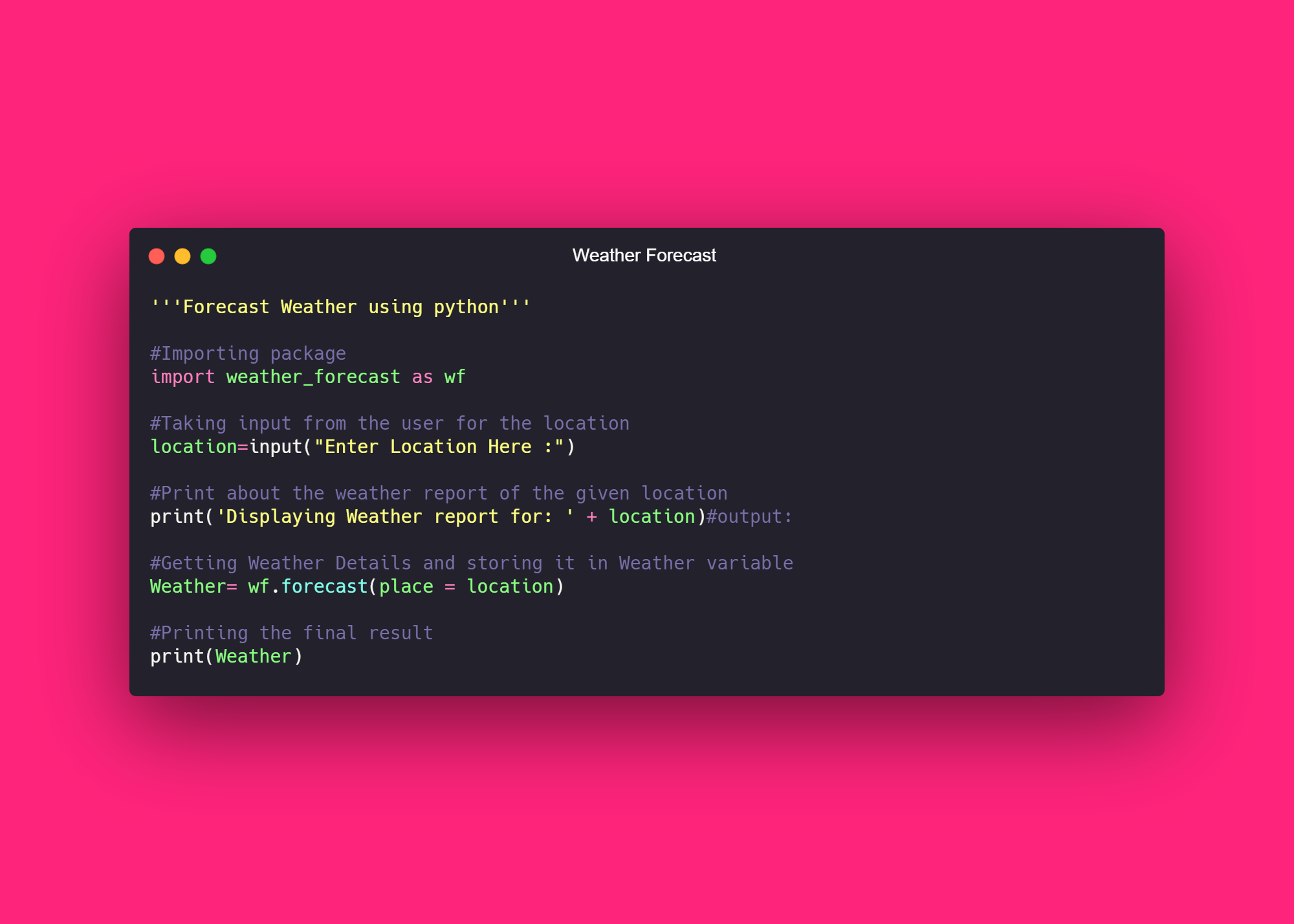
import weather_forecast as wf
Now that we have imported the library using the command, let's proceed. Let’s ask the user to input the city name for which he/she wishes to fetch the weather details.
location=input("Enter Location Here :")
You can also hard-code the value if you will only check for yourself
location = 'London'
Now, let’s display a simple message.
print('Displaying Weather report for: ' + location)#output:
Let' fetch the weather details using the forecast function, we can pass in the argument place as location. It does have more arguments like time, date, and much more.
Our resultant data is stored in Weather. let's display the result.
print(Weather)
So, at the end here is how our code will look like :
And here is the final output :
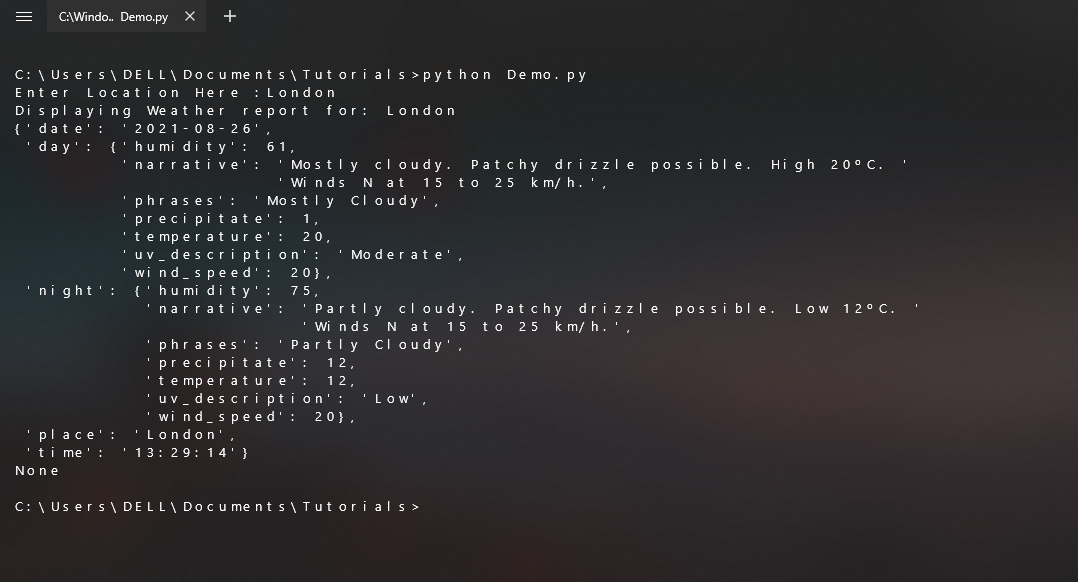
Isn’t it beautiful? And with that, it’s a wrap! I hope this article was helpful for you if it is the leave your comments below. I will meet you in another article until then KEEP CODING🤗.


